
Integrations
Betterplace, connected to the tools you already use.
Send listings to your CRM, put your tasks in your calendar and get alerts on Telegram. Without changing the way you work.
3 days free · No credit card · No commitment




CRM
From listing to CRM, in one click.
Send all the details of a listing (photos, features…) to your CRM in a single click.
You decide which data to send and can edit it before syncing.
- Inmovilla
- IAGestión
- Vesta
Direct connection available with Inmovilla, IAGestión or Vesta
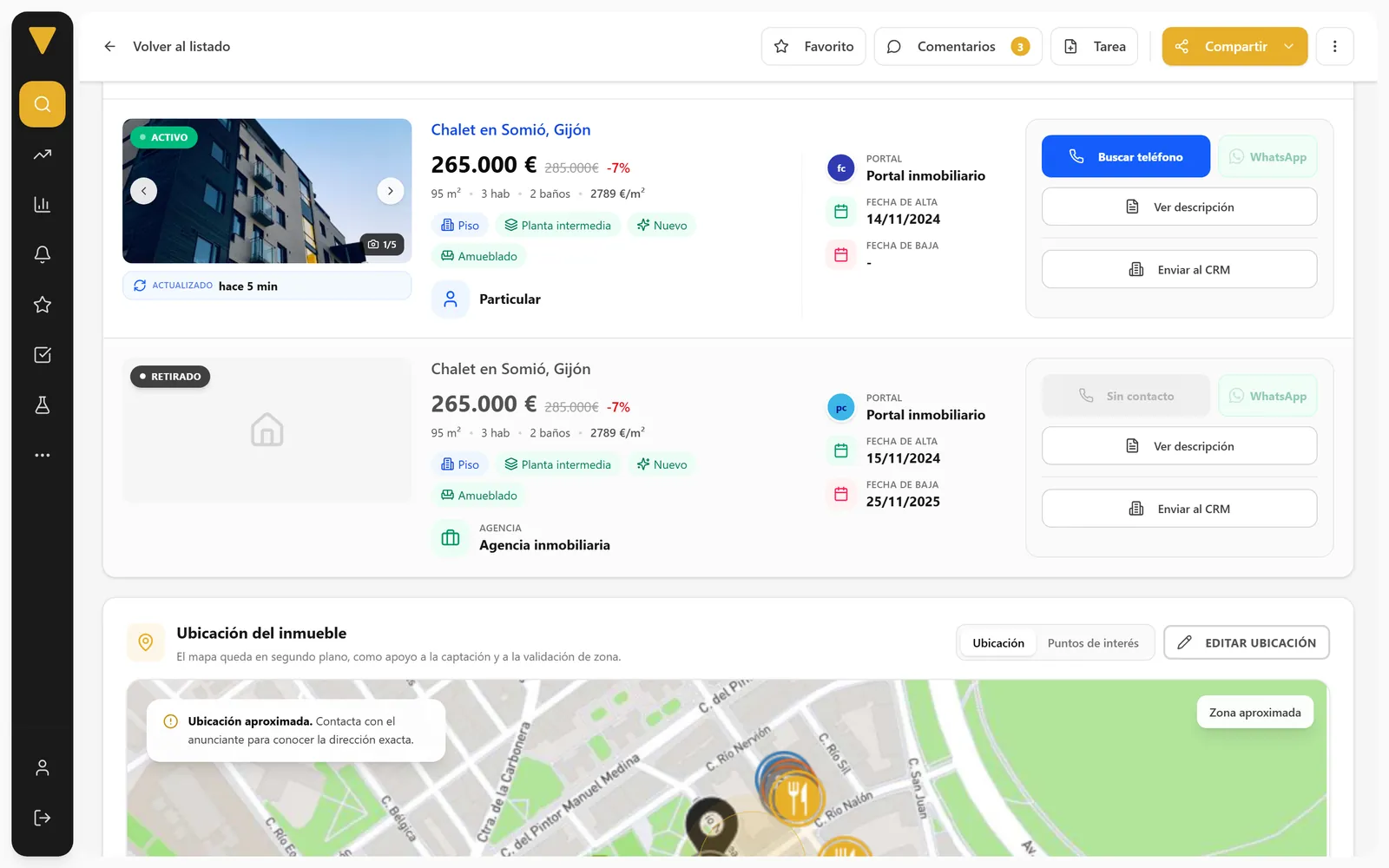
Flat on Calle de Fuencarral
Chamberí, Madrid · 3 bed · 92 m²
€385,000€4,185/m²
Send to CRM
- Photos
- Features
- Price
- Description
You can edit the data before syncing
SendSet it up in My account
- 1Choose your CRMInmovilla, IAGestión or Vesta.
- 2Paste your API tokenYou'll find it, or can create it, in your own CRM.
- 3Send listingsFrom any listing, with the Send to CRM button.
Connect CRM
Sync your properties and contacts.
1 · Choose your CRM
InmovillaIAGestiónVestaOther2 · Connect your CRM
Token
Find or create your API token in your CRM.
Link CRMConnectedCalendar
Your tasks, in Google Calendar or Outlook.
Your Betterplace viewings, tasks and reminders, straight into the calendar you already use.
- A separate “Betterplace” calendar is created; your other events stay untouched.
- Every viewing or task you create appears automatically, reminders included.
- If you disconnect, that calendar is deleted and your account stays as it was.
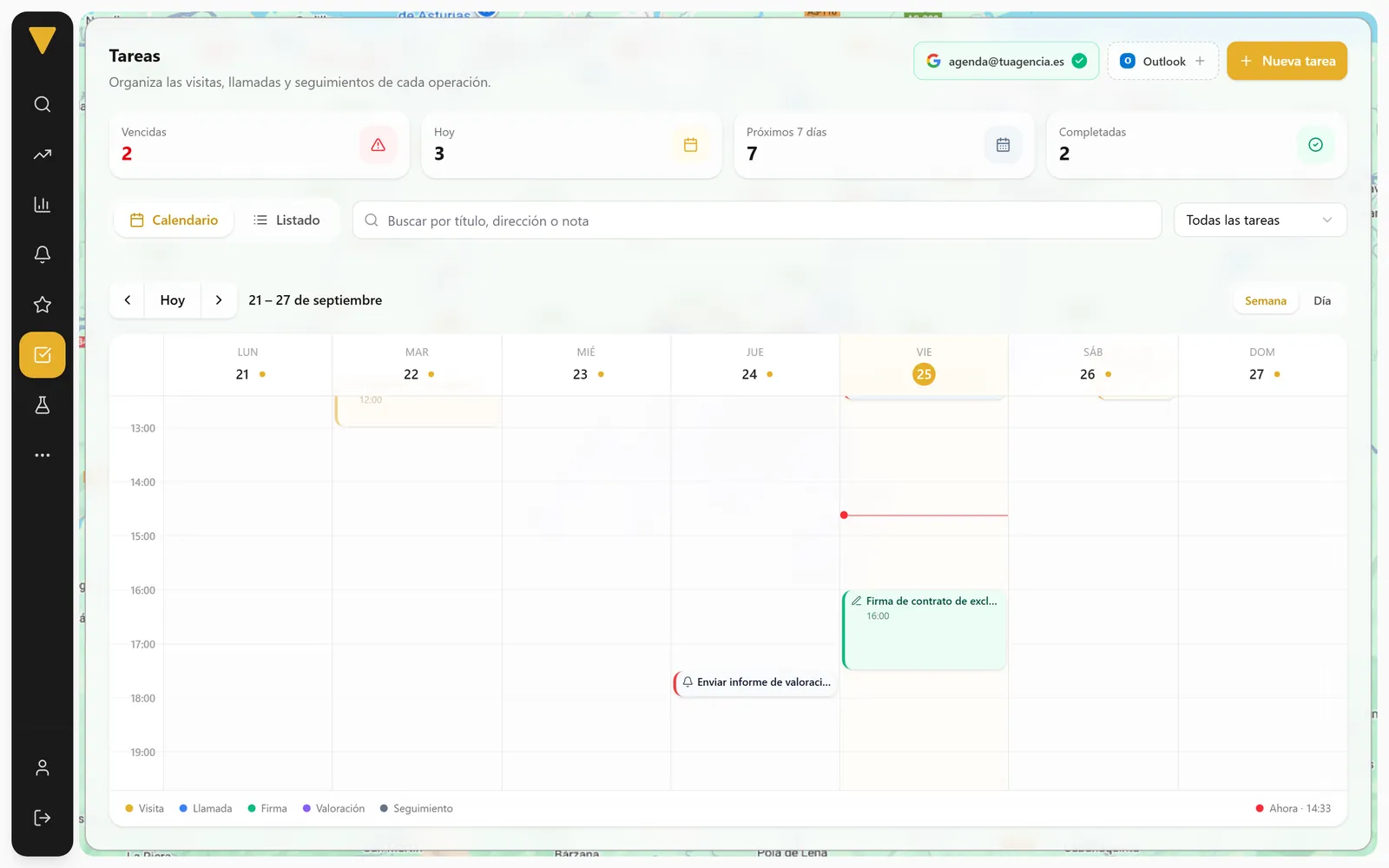
Friday 25
Betterplace- 10:30Viewing · Penthouse with terrace
- 16:00Sign exclusive agreement
- 18:00Send valuation report
Telegram and WhatsApp
Alerts and messages, on your phone.
Alerts reach you on Telegram. And what you send to clients goes out from your own WhatsApp.
Telegram
Instant alerts
Get alerts for new properties and price drops on your phone, the moment they happen.
- For the instant alerts frequency
- Link it in a minute from the official Betterplace bot
New private sellers in Chamberí norte
4 new listings and 2 price drops
09:14
Price drop in Arapiles
Penthouse with terrace · €529,000 → €509,000
11:02
Share and get in touch
Send reports and property sheets from your WhatsApp, and message the advertiser with a template you can edit.
- Reports as a web view or PDF
- Message to the advertiser with an editable template
 Betterplace
Hi, I've seen your listing on Calle de Fuencarral. I'd love to help you sell it…
12:40
 Keller Williams Marbella
Keller Williams Marbella makes first contact with a potential client on WhatsApp, attaching the property report for owners with data about their area.
Your website and your system
On your website and in your own software, too.
Capture leads with the valuation tool on your website and bring Betterplace data into your tools with the API.

How much is your home worth?
Property type
Calle de Fuencarral, Madrid
Website valuation tool
Capture leads from your website
Embed it with an iframe, share it on Facebook or print its QR code for your shop window.
- Iframe for your website
- Generate QR
- Share on Facebook
- Properties
- Valuations
- Listings
- Areas
- Market studies
- Your CRM
- Your website
- Internal tools
API
Betterplace data in your system
Five APIs, one token per tool. To connect your CRM, your website or your internal tools.
 A Betterplace product
AI assistants for real estate agents
Replies to and qualifies your leads around the clock
Replies on WhatsApp, Instagram and Messenger, answers your portal enquiries and leaves every lead ready for your CRM.
- Replies to and qualifies leads 24/7
- Books viewings
- Sends every lead to your CRM in one click
With its own account: no need to be a Betterplace customer
María López
RM Real Estate · AI assistant
Hi, I'm María from the RM Real Estate team. How can I help you today?
I'm looking for a 3-bedroom flat in Gijón.
Great! Are you looking to buy or to rent?
Frequently asked questions
About integrations
Using another tool and want to know if it fits? Write to us.
Which CRMs does Betterplace integrate with?
How do I connect my CRM?
Can I choose which data is sent?
What happens to my calendar when I connect it?
How do I get alerts on Telegram?
Do I need to connect WhatsApp?
What is Realmaker?
Betterplace, part of your day-to-day.
Try it with your areas and see how it fits with the tools you already use.
3 days free · No credit card · No commitment